Have you ever noticed your phone getting uncomfortably hot while charging? It can be worrying to see your device heat up, making you wonder if something is wrong or if it’s just normal.
The truth is, some warmth during charging is expected, especially with fast or wireless chargers. But when the heat spikes too much, it might be a sign that your phone needs attention. You’ll discover the real reasons why your phone heats up while charging and simple, effective ways to keep it cool and safe.
Read on to protect your device and ensure it charges smoothly every time.
Credit: www.vegerpower.com
Common Causes Of Overheating
Phones often heat up during charging due to several common causes. Understanding these reasons helps protect your device and improve its lifespan. Overheating can happen because of how the phone charges, how you use it, or what software is running. Let’s explore the main factors that lead to phone heating while charging.
Fast Charging Impact
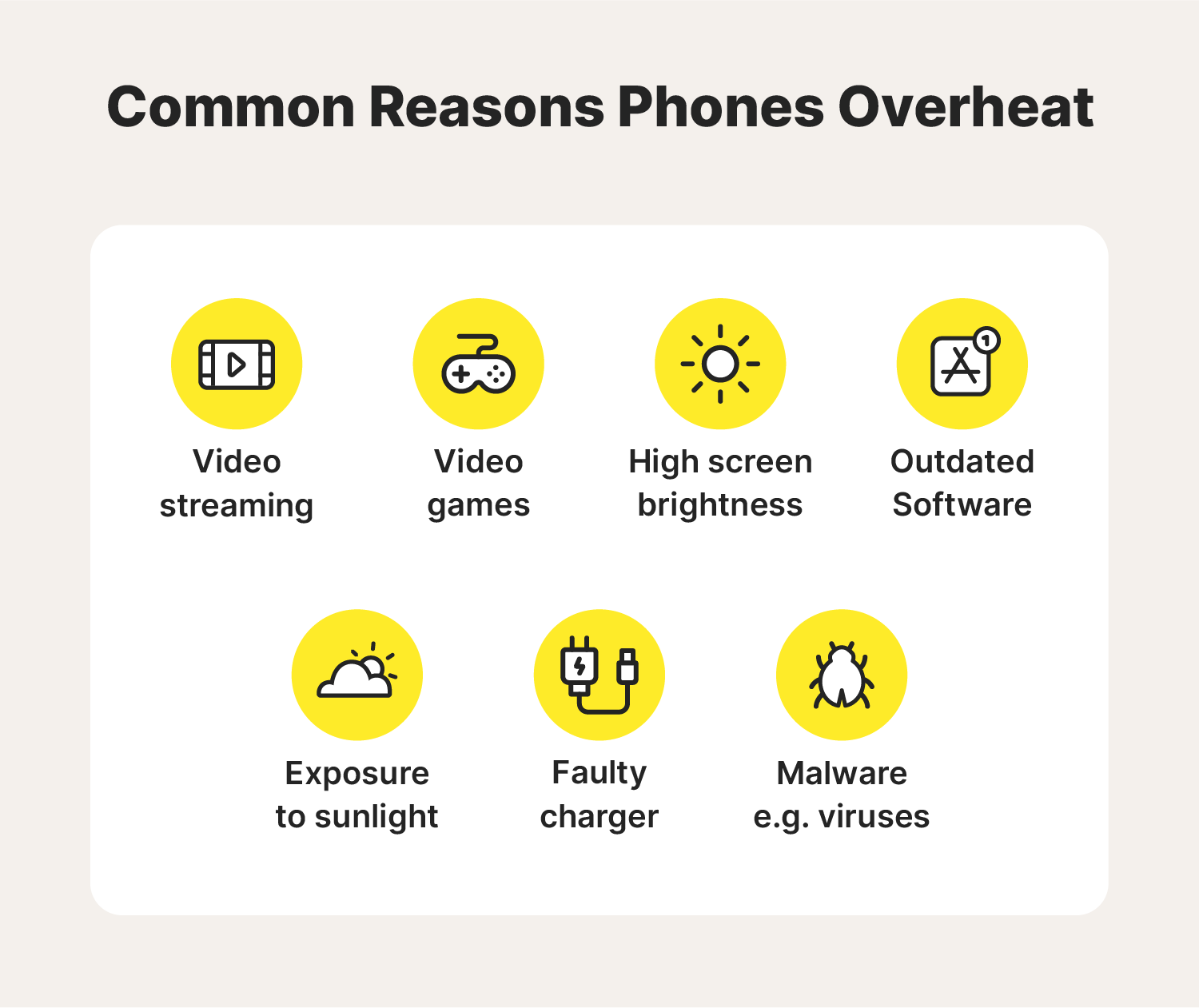
Fast charging sends more power to the battery in less time. This higher power flow creates extra heat inside the phone. The battery and processor work harder to handle this energy. This heat is normal but can feel uncomfortable. Using a fast charger frequently may increase the phone’s temperature more than usual.
Wireless Charging Heat
Wireless charging uses electromagnetic fields to transfer power. This method is less efficient than wired charging. Energy loss during transfer turns into heat. Your phone and the charging pad both get warm. Wireless charging can cause more noticeable heat, especially if the phone is not aligned properly on the pad.
Heavy Usage Effects
Using the phone while charging raises its temperature. Activities like gaming, streaming videos, or using GPS demand more from the processor. The battery also drains and charges at the same time. This dual demand generates extra heat. Heavy usage slows down charging and increases the risk of overheating.
Software Activity
Background software tasks affect phone temperature during charging. Installing updates or setting up new apps uses more power. The processor runs multiple tasks, producing heat. Some apps running in the background can also cause the phone to heat up. Keeping software updated can reduce overheating issues.
Credit: us.norton.com
Heat And Battery Health
Phone heat during charging affects the battery’s health over time. Batteries work best at moderate temperatures. Excess heat can cause permanent damage and reduce battery efficiency.
Heat speeds up chemical reactions inside the battery. This process can wear out the battery faster. Understanding heat’s impact helps you take better care of your phone.
Battery Aging Signs
One sign of battery aging is shorter battery life. Your phone may not hold charge as long as before. Another sign is slow charging or sudden shutdowns.
Heat can worsen these signs. Older batteries get hotter because they struggle to handle power. Watch for swelling or physical changes in the battery case.
Heat Impact On Battery Life
Heat reduces battery capacity permanently. It makes the battery lose charge faster each day. High temperatures can cause the battery to swell or leak.
Charging in hot environments or using fast chargers often raises heat levels. This damages the battery cells inside. Keeping your phone cool extends battery lifespan.
Charger And Cable Issues
Charger and cable issues often cause your phone to heat up while charging. Using the wrong charger or a damaged cable can increase resistance and reduce power efficiency. This makes your phone work harder and produce more heat. Problems with chargers and cables are common and easy to fix once identified.
Poor-quality Chargers
Cheap or uncertified chargers may not deliver stable power. They can cause overheating by sending too much or too little current. Poor-quality chargers lack safety features, increasing the risk of damage. Always avoid low-quality chargers to keep your phone safe and cool.
Damaged Cables
Frayed or broken cables create resistance, causing heat during charging. Damaged cables may not transfer power efficiently, making your phone heat up. Using worn-out cables also slows charging and can harm your battery. Check cables regularly and replace them if you see damage.
Using Original Accessories
Original chargers and cables are designed for your phone’s battery and power needs. They provide stable current and reduce heat buildup. Using original accessories ensures safer and faster charging. It helps protect your phone’s battery life and prevents overheating problems.
Environmental Factors
Environmental factors play a big role in why your phone heats up while charging. These factors affect how heat builds up and escapes from your device. Understanding them helps keep your phone cooler and safer during charging.
Charging Location
Where you charge your phone impacts its temperature. Charging in direct sunlight or near heat sources raises the phone’s heat. Soft surfaces like beds or couches block airflow and trap heat. Choose hard, flat surfaces in cool places to help your phone stay cool.
Phone Case Influence
Phone cases can trap heat during charging. Thick or insulated cases stop heat from escaping. This makes the phone warmer than usual. Removing the case while charging lets heat leave the phone more easily. Thin, breathable cases reduce heat buildup better than bulky ones.
Ventilation Importance
Good ventilation helps your phone cool down during charging. Poor airflow makes heat stay near the phone. Avoid charging in enclosed spaces like drawers or tight pockets. Open areas with fresh air let heat move away quickly. This keeps your phone from getting too hot.
Usage Habits That Increase Heat
Certain usage habits can cause your phone to heat up more while charging. These habits increase the workload on the phone’s processor and battery. The extra work generates more heat than normal. Understanding these habits helps you avoid overheating and protect your device.
Using Phone While Charging
Using your phone while it charges makes the battery work harder. Activities like texting, calling, or browsing increase power consumption. This extra demand raises the phone’s temperature. The charger tries to supply energy and the phone uses it at once. This dual action creates additional heat.
Running Intensive Apps
Apps that require high power, like games or video editors, push the processor to its limits. These apps use more battery and CPU resources. Running such apps during charging adds stress to the phone’s system. The processor heats up due to continuous heavy use. This heat combines with charging heat, making the phone warmer.
Background Processes
Background apps and services constantly refresh data or sync files. This activity keeps the processor active even when the phone is idle. Multiple background processes increase battery use quietly. When charging, this extra work boosts heat generation. Managing or closing unnecessary background apps can reduce heating.
Credit: www.meridionalcenter.com.br
Preventing Excess Heat
Preventing excess heat during phone charging helps protect your device and improve battery life. Heat can damage internal parts and reduce performance. Simple steps keep your phone cooler and safer while charging.
Removing Phone Case
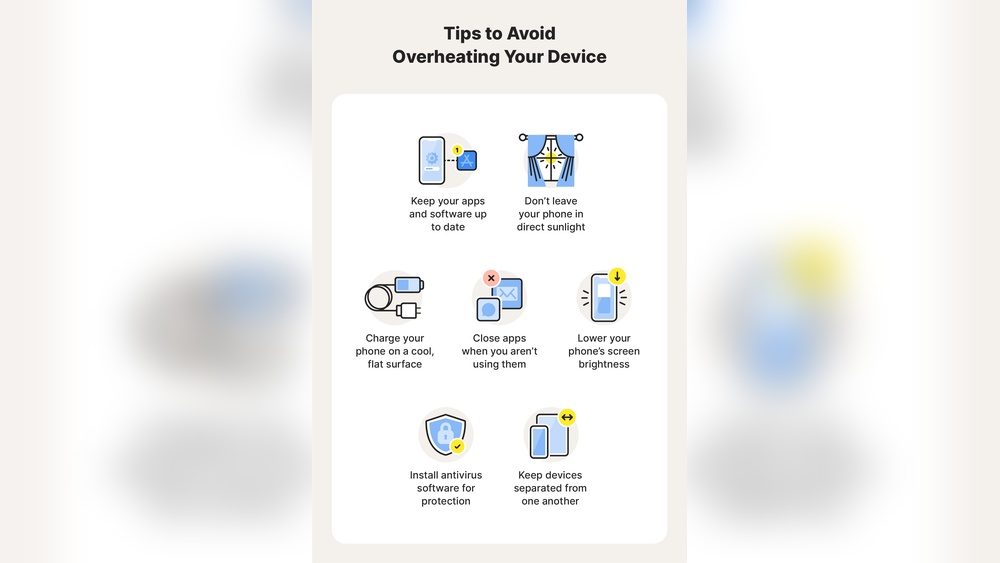
Phone cases can trap heat and block airflow. Removing the case allows heat to escape more easily. This simple action helps your phone stay cooler during charging. Use a case designed for good ventilation if you want to keep it on.
Choosing Cool Charging Spots
Place your phone in a cool, open area while charging. Avoid direct sunlight, soft surfaces, or enclosed spaces. Soft surfaces like beds and couches block airflow and trap heat. A hard, flat surface helps your phone cool down faster.
Closing Background Apps
Running many apps uses more processor power and produces heat. Close apps running in the background to reduce workload. This lowers heat generation and helps your phone charge more efficiently. Check your phone’s task manager to close unused apps.
Limiting Usage During Charging
Using your phone while charging increases heat production. Avoid gaming, streaming videos, or heavy tasks during charging. Let your phone rest to reduce processor strain and heat. This helps your phone charge faster and stay cooler.
When To Seek Professional Help
Knowing when to seek professional help is important if your phone heats up while charging. Some heat is normal, but extreme or persistent heat can harm your phone. Watch for signs that your device needs expert care to avoid permanent damage.
Extreme Heat Symptoms
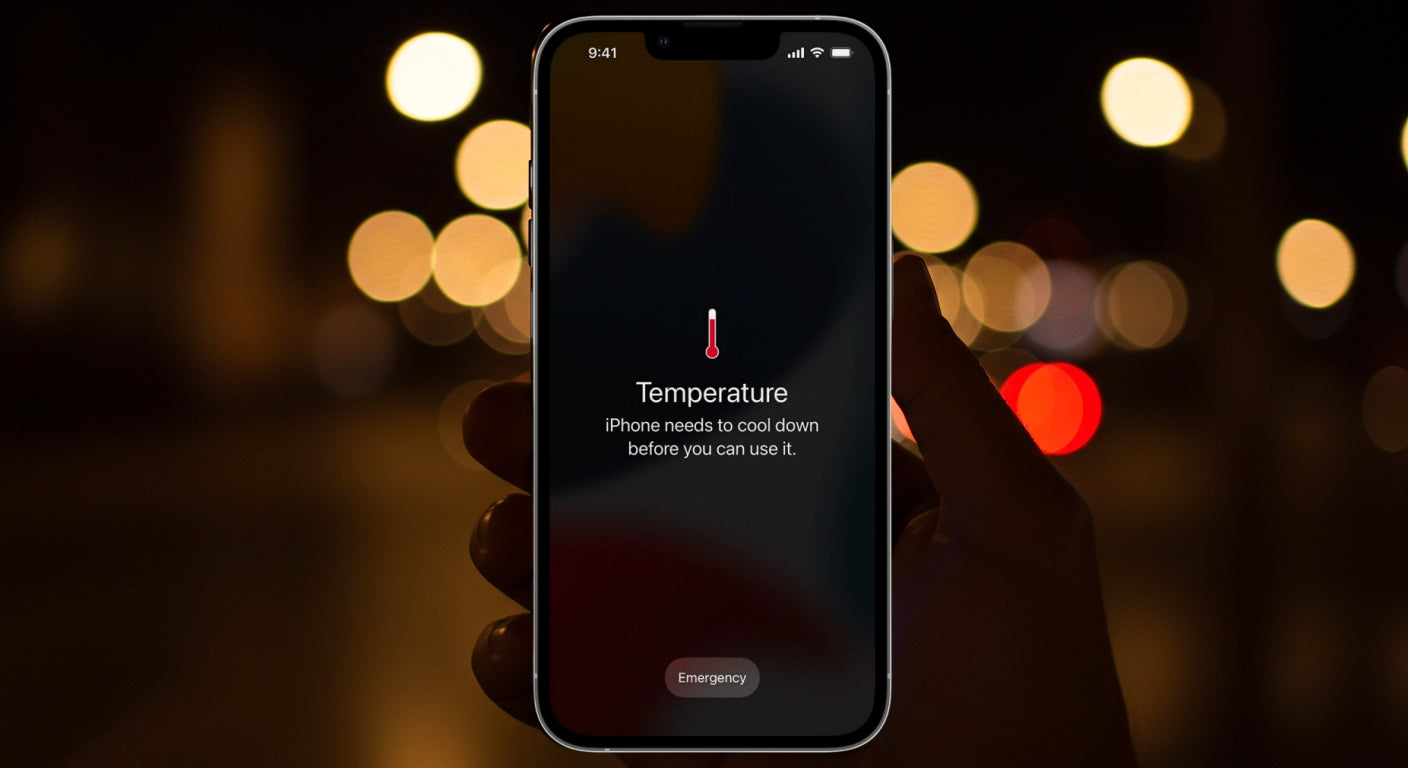
Extreme heat means your phone feels very hot to touch. It may also become too hot to hold comfortably. Such heat can cause the phone to shut down unexpectedly. If the phone case warps or the screen flickers, stop charging immediately. These signs show serious overheating that needs professional inspection.
Charging Interruptions
Frequent charging interruptions can indicate a problem. The phone may stop charging or restart during the process. Overheating can cause the charger to disconnect for safety reasons. If your phone often loses charge while plugged in, consult a technician. This prevents further damage and ensures safe charging.
Noticing Battery Decline
Rapid battery decline can result from overheating. If your phone’s battery drains fast or doesn’t hold charge, overheating might be the cause. Swollen batteries are a dangerous sign and need immediate attention. Professional help can replace the battery and restore your phone’s health.
Frequently Asked Questions
Is It Normal For A Phone To Get Hot While Charging?
Yes, phones often get warm while charging due to increased power flow from fast or wireless charging. Mild heat is normal, but excessive heat may indicate issues. Remove cases and charge in cool, ventilated areas. Use original chargers and avoid heavy phone use during charging to prevent damage.
Why Does My Phone Heat Up While Charging?
Phones heat up during charging due to increased power flow. Fast charging, wireless charging, and heavy usage generate extra heat. This warmth is normal but excessive heat can indicate issues like poor ventilation or faulty chargers.
Is It Normal For Phones To Get Hot When Charging?
Yes, mild warmth is normal while charging. Fast charging and resource-heavy tasks cause temperature rise. However, if the phone becomes uncomfortably hot, it’s best to stop usage and check charging conditions.
Can Charging Case Cause My Phone To Overheat?
Yes, phone cases can trap heat during charging. Removing the case allows better airflow and reduces overheating risks. Always charge phones in a cool, ventilated area without heavy covers.
Conclusion
Phones often heat up during charging due to fast power flow or heavy use. Some warmth is normal, but too much heat can harm your device. Avoid using the phone for games or videos while charging. Remove phone cases and charge in cool, open spaces.
Use original or certified chargers to ensure safety. Close unnecessary apps to reduce workload. Watch for signs like sudden heat spikes or charging stops. Taking these steps helps keep your phone safe and extends battery life. Stay mindful to protect your device every day.