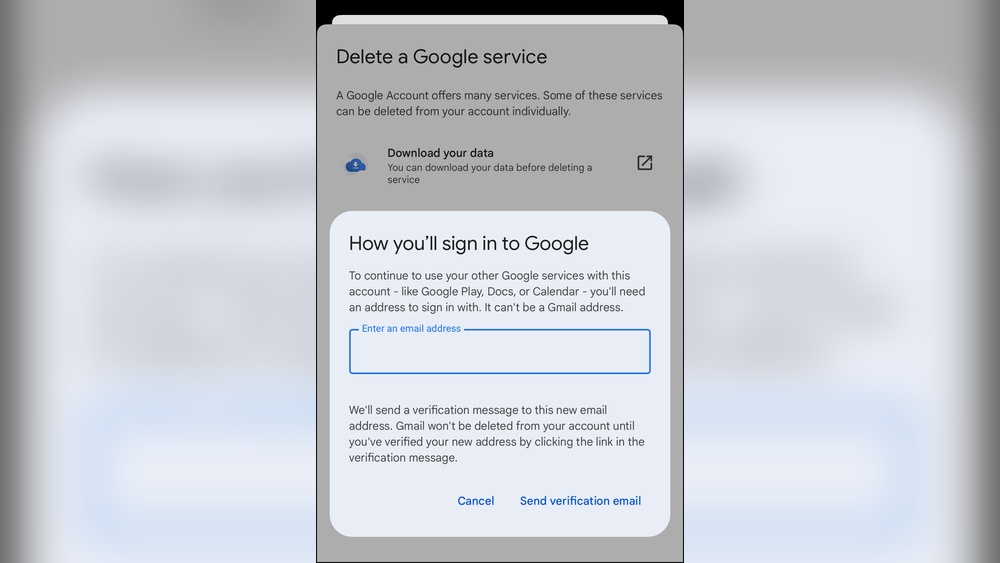
Thinking about deleting your Google account? It’s a big decision that can change how you use email, apps, and online services every day.
But what really happens after you hit that delete button? Will your data vanish instantly, or does some of it stick around? If you rely on Google for work, memories, or staying connected, you need to know exactly what’s at stake before you make the move.
Keep reading, and you’ll discover the surprising facts about deleting your Google account — including what disappears, what lingers, and how it affects your digital life for good. This knowledge will help you decide if deleting is right for you and what steps to take next.

Credit: www.youtube.com
Immediate Impact
Deleting your Google account triggers immediate changes. These affect your ability to use Google services and access data. The instant consequences are important to understand before making this decision.
Access Loss
You lose access to all Google services linked to your account. This includes Gmail, Google Drive, Google Photos, and YouTube. Your emails, files, and photos become unavailable. You cannot sign in to any apps using your Google login. Access to paid services or subscriptions stops immediately.
Service Disruptions
Services that rely on your Google account stop working. Any scheduled events in Google Calendar disappear from your devices. Your saved passwords and autofill data vanish. Apps using Google for authentication will fail to connect. Connected devices like Android phones may lose syncing capabilities instantly.
Data Retention Timeline
Understanding the data retention timeline is important before deleting your Google account. It explains how long Google keeps your data after deletion. This timeline affects your ability to recover your account and how your information is handled.
Grace Period Details
After you delete your Google account, a grace period starts. During this time, your account is disabled but not fully erased. You cannot use the account, but some data still exists on Google’s servers. This period allows you to change your mind and recover your account. The grace period usually lasts a few weeks.
Data On Servers
Even after the grace period, some data stays on Google’s servers. This data includes system backups and logs. Google keeps this information for legal and security reasons. Your personal details like name and email become inaccessible to others. However, some technical data remains for a limited time before complete deletion.
Recovery Window
The recovery window is the time you have to restore your deleted account. It matches the grace period length. If you act within this window, Google can reactivate your account and restore your data. After this window closes, your account and data cannot be recovered. You will need a new account to use Google services again.
Lingering Data Effects
Deleting your Google account does not erase your data instantly from every system. Some information may remain stored for a while. These lingering data effects can impact your privacy in various ways. Understanding these effects helps you know what happens behind the scenes after deletion.
Backups And Archives
Google keeps backups of your data for safety and recovery. These backups may still contain your information after deletion. The data stays in these archives for a limited time. This helps prevent data loss from accidental deletions or technical issues. Eventually, Google removes your data from these backups, but it is not immediate.
Third-party Data Brokers
Third-party data brokers often collect user information from various sources. They may have gathered your data before you deleted your account. Deleting your Google account does not affect data already shared with these brokers. They can keep and use this information independently. This means your data might still exist outside Google’s control.
Legal And Security Holds
Some data must remain stored for legal or security reasons. Google may keep records of transactions or activity logs for tax or fraud prevention. These legal holds require data retention even after account deletion. Your data may stay protected under these rules for months or years. This ensures compliance with laws and secures both users and companies.
Effects On Connected Services
Deleting your Google Account affects many connected services instantly. These services rely on your account to work properly. Losing access impacts apps, devices, and linked accounts. Understanding these effects helps you prepare before deletion.
Google Apps Impact
Google apps like Gmail, Drive, and Calendar stop working without your account. You lose all emails, files, and calendar events. Shared documents become inaccessible unless others have permission. Google Photos and YouTube data also get deleted. Any subscriptions or purchases linked to Google Play end too. Data stored in Google Keep or Contacts disappears as well.
Linked Accounts And Devices
Many websites and apps use Google for signing in. Deleting your account breaks these logins. You might lose access to services like Spotify, Netflix, or social media. Devices connected to your Google account, such as Android phones or Chromebooks, will lose syncing features. Backup and recovery options linked to Google will no longer work. Apps using Google Maps or other APIs may also stop functioning properly.
Shadow Profiles And External Platforms
Deleting your Google account does not erase all traces of your online presence. Some data lives on in what experts call shadow profiles and on external platforms. These hidden copies of your information continue to exist beyond your control. Understanding how this happens helps you see the limits of account deletion.
Social Media Shadow Data
Social media sites often build shadow profiles using data from others. Friends’ contacts and shared activity can create a digital footprint of you. Even without your active account, these platforms keep bits of your information. This data helps them target ads and recommend content.
Deleting your Google account does not stop social media from collecting or holding this data. They gather it from your interactions, photos, and tags. Shadow profiles may include phone numbers, email addresses, and browsing habits you never shared directly.
Data Collection By Partners
Google works with many partners who collect data on users. Advertisers and app developers may have copies of your information. When you delete your account, these partners do not automatically delete their data. They follow their own rules and timelines.
Some partners use your data for analytics, marketing, or improving services. Your information can remain stored long after you leave Google. This means your digital footprint may persist on websites and apps outside Google’s control.
Credit: www.gmass.co
Long-term Deletion Process
Deleting your Google Account starts a long-term process that removes your data from Google’s systems. This process takes time and involves several steps before your information is fully erased. It is important to understand what happens during this extended period.
Gradual Data Removal
After you delete your account, Google begins to unlink your personal data from its services. Your name, email address, and profile pictures disappear from public view. Some activity logs and user IDs remain temporarily for system functions. Google removes your data from active servers first, making it inaccessible to others.
However, your information still exists in backup storage. These backups protect against data loss and are kept for a limited time. Over weeks or months, Google clears data from these backups. This slow removal ensures stability and helps avoid accidental data loss.
Final Erasure Challenges
Complete deletion faces several challenges. Some data persists due to legal rules or security needs. Google may keep transaction records or logs for fraud prevention and tax purposes. These records stay longer than normal user data.
Third-party services that connected to your Google Account might also hold some data. Once your account is deleted, Google cannot control those copies. This means some information may remain outside Google’s reach.
In rare cases, technical issues or system backups might delay full removal. Google’s process aims to erase your data fully, but this can take months. Patience is necessary as the deletion completes over time.
Account Recovery Options
Deleting your Google account involves more than just losing access. Recovery options exist but are limited and time-sensitive. Understanding these options helps in making informed decisions about account deletion.
Recovery Timeframe
Google allows account recovery for a short period after deletion. This window usually lasts a few weeks. During this time, you can restore your account and data. After the timeframe ends, recovery becomes impossible. Acting quickly is crucial to regain your account.
Limitations After Deletion
Once the recovery period passes, your Google account cannot be restored. Your email address becomes permanently unavailable. You cannot create a new account with the same email. Data linked to your account is permanently erased from active servers. Some backup copies may remain temporarily but cannot be accessed.
Starting Fresh After Deletion
Deleting your Google account can feel like wiping the slate clean. It offers a chance to start fresh, away from past emails, contacts, and app data. After deletion, your old data disappears from Google’s active servers and services. This fresh start can help you reorganize your digital life or leave behind unused accounts.
Starting over means creating new accounts and understanding the limits on email addresses. Knowing these details helps you plan your next steps smoothly.
Creating New Accounts
After deleting a Google account, you can create a new one anytime. The new account will have a different email address. You cannot use your old Google email again, as it becomes permanently unavailable. This rule prevents confusion and protects privacy.
To create a new account, visit the Google sign-up page and follow the steps. Choose a fresh email name that fits your needs. The new account starts without any of your old data or settings.
Email Address Restrictions
Google does not allow reusing the same email address from a deleted account. This rule applies even if you deleted the account long ago. Your old email stays blocked forever. It stops anyone from impersonating you or recovering your deleted data.
Pick a unique email address when creating your new account. Using a different name avoids login issues and confusion. This restriction ensures your new Google experience is truly new and separate.
Privacy Risks Post-deletion
Deleting your Google account does not erase your data instantly. Privacy risks remain even after account deletion. Some personal information might persist on Google’s servers for a time. This lingering data could expose you to privacy concerns later. Understanding these risks helps you protect your information better.
Data Persistence Risks
Google keeps some data for a certain period after deletion. This includes backups and server logs. These backups help restore accounts if deleted by mistake. Your data is “unlinked” but not fully erased immediately. Some identifiers and activity records may stay on Google’s systems. Third-party services that accessed your data might still hold copies. Data brokers could also have collected your information before deletion. Legal rules may require Google to keep some data longer. This can include transaction history or security logs.
Preventive Measures
Take steps to reduce privacy risks after deletion. Download your data before deleting your account. Review and remove sensitive information from Google services first. Delete third-party app permissions linked to your Google account. Clear your browsing history and cookies to limit data traces. Monitor accounts for unusual activity after deletion. Contact data brokers to request removal of your data. Use privacy tools like VPNs and secure browsers for added safety. Understand Google’s data retention policies to know what stays. Act quickly during Google’s account recovery period if needed.
Inactive Account Consequences
Leaving a Google account inactive can trigger several important consequences. Google does not delete inactive accounts immediately. Instead, it follows a clear process to manage data and account status. Understanding these consequences helps you prepare for what happens if you stop using your account.
Data Handling Policies
Google stores data for a set time after inactivity. Your emails, files, and photos remain on Google servers. The data is not visible to others but is kept for backup and security. Google may delete some content after a period of inactivity. This helps protect user privacy and frees up storage space.
During inactivity, Google removes your profile from public view. User IDs and activity logs might stay on record. Some data may be retained for legal or security reasons. Google’s policies ensure data is handled carefully during this phase.
Account Reactivation
You can reactivate your Google account within a limited time. Reactivation restores access to your emails and files. Google allows you to log in and resume using services as before. After the grace period, reactivation may not be possible. Your data could be permanently deleted if you wait too long.
Reactivate by signing in with your email and password. Follow prompts to verify your identity. Once reactivated, your account returns to normal status. This option gives users flexibility to return after inactivity.
Timeline For Full Deletion
Understanding the timeline for full deletion helps you know what to expect after deleting your Google account. The process does not happen instantly. Google follows several steps to remove your data securely and completely. This section breaks down the timeline and what occurs during each phase.
Step-by-step Process
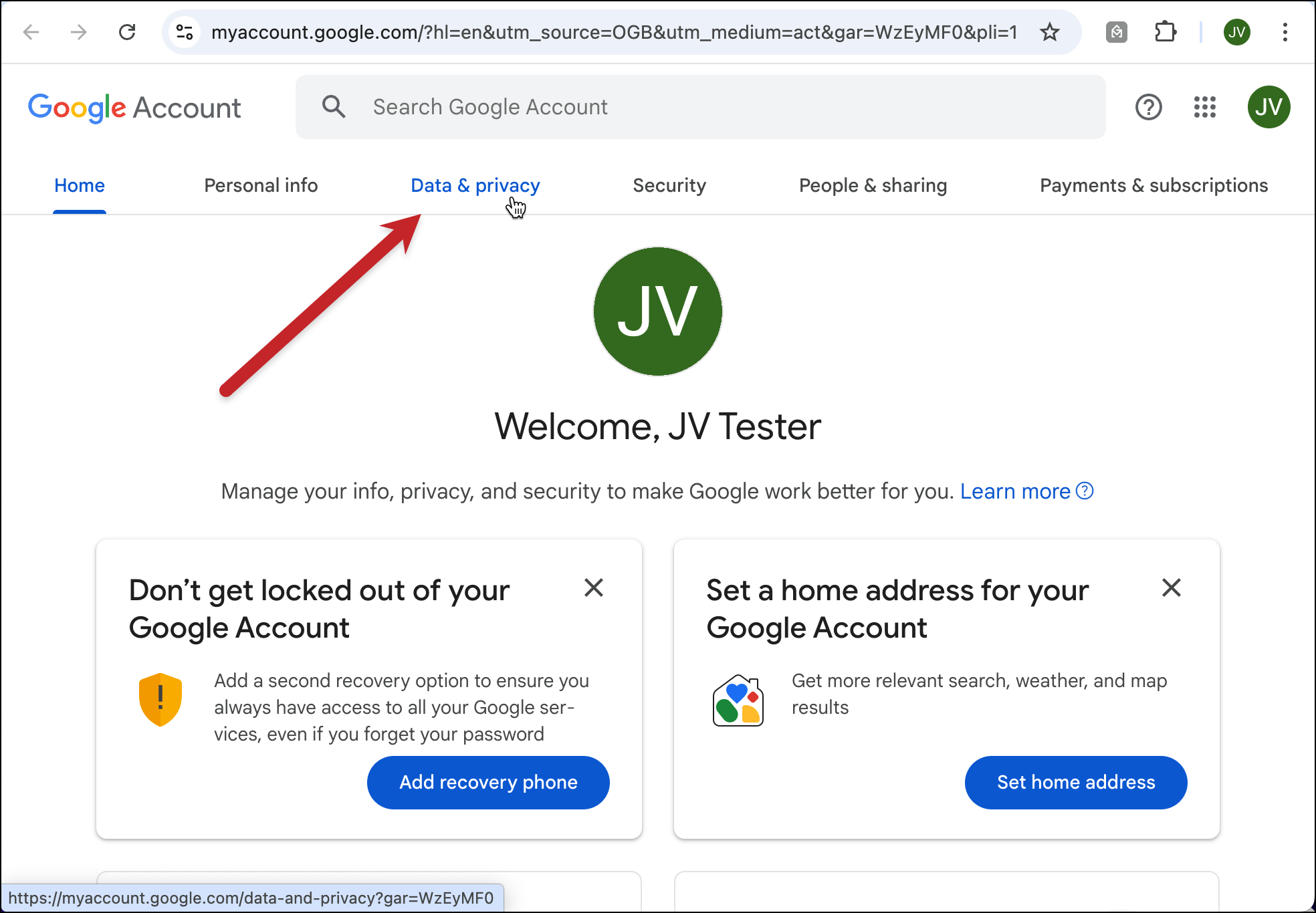
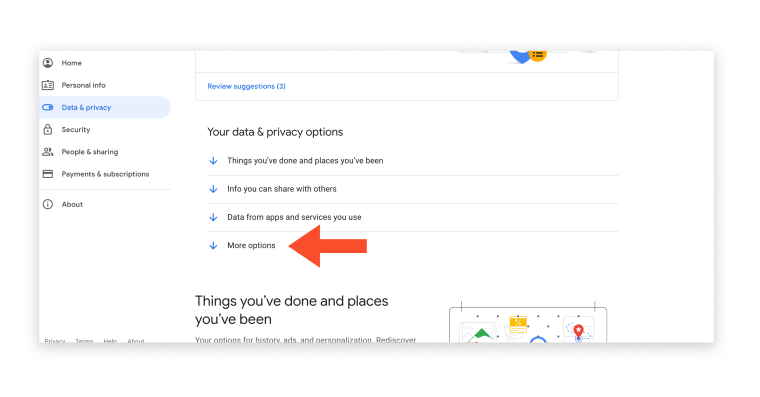
First, you initiate the deletion from your Google account settings. Google disables access to your account immediately. You can no longer sign in or use Google services with that account. After that, your data enters a grace period. During this time, your information remains on Google’s servers but is not visible publicly. You might still recover your account if you change your mind.
Once the grace period ends, Google starts deleting your data permanently. This includes emails, files, photos, and other personal information. Some data may remain longer in backup systems for security reasons. Eventually, Google removes all backups to complete the deletion process.
Estimated Duration
The entire deletion process usually takes about two to three weeks. The initial grace period lasts around two to four weeks. During this time, account recovery is possible. After that, the permanent deletion phase begins. It may take additional days or weeks for all backups to clear.
Some data might stay longer due to legal or security requirements. Google must comply with laws that require keeping certain information. Overall, the process is gradual to protect your data and privacy. Your account and data will fully disappear from Google servers within about one month.
Credit: www.today.com
Frequently Asked Questions
Can I Delete My Google Account And Start A New One?
You can delete your Google Account and create a new one with a different email address. Recovery is possible only briefly after deletion.
Are Deleted Accounts Really Deleted?
Deleted accounts enter a grace period where data stays on servers but becomes inaccessible. Complete removal takes time. Some information may persist in backups or third-party sources for legal or security reasons.
How Long Until A Google Account Is Fully Deleted?
Google Account deletion completes in about two to three weeks. Data remains on servers during this period but becomes inaccessible. Some information may persist longer for legal or backup reasons before permanent removal.
Can Someone See Your Email After You Delete It?
Once you delete an email, recipients cannot see it in your inbox. However, they may have already read or saved it. Deleted emails may still exist in backups or on recipient servers for some time. Complete removal from all systems takes a gradual process.
Conclusion
Deleting your Google Account removes your access and public data quickly. Some information may remain in backups or with third parties for a while. You cannot reuse the same email address once deleted. Recovery is possible only during a short grace period.
Always back up important data before deleting. Understand the risks and plan carefully. This helps avoid losing valuable files or contacts forever. Think twice before making the final decision. Deleting an account is permanent after the grace period ends.