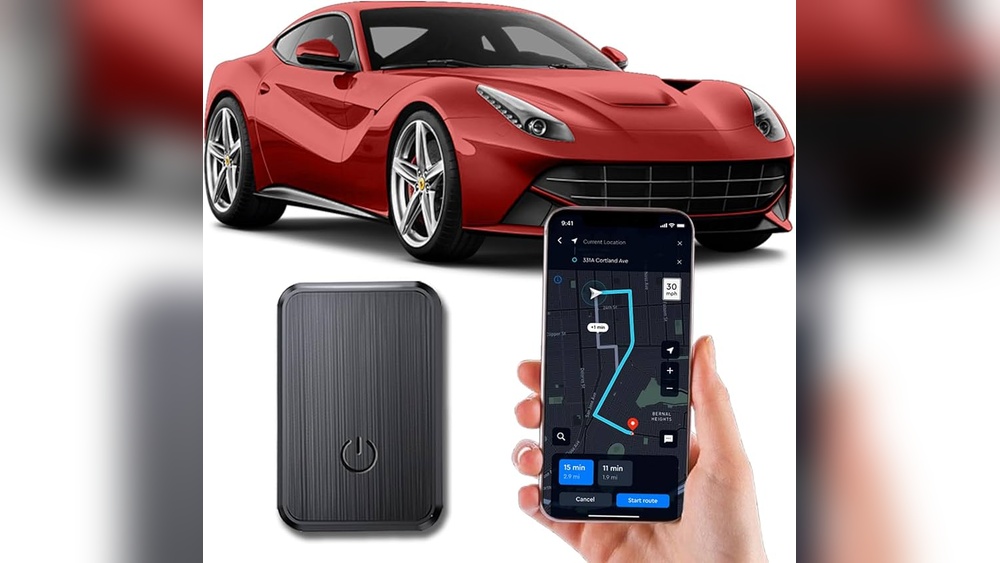
Have you ever wondered just how precise location tracking really is? Whether you’re using your phone to find a friend, track a delivery, or keep an eye on a loved one, the accuracy of location data can make all the difference.
You might expect pinpoint precision, but the reality is more complex. Your device’s location can be influenced by many factors—like the environment, technology used, and even device settings. You’ll discover how accurate location tracking can be, what affects its reliability, and how to make the most of it in your daily life.
Keep reading, and you’ll gain clear insights that help you trust—and question—the location info you see.

Credit: m.made-in-china.com
Gps Accuracy
GPS accuracy plays a key role in location tracking. It depends on many factors that affect how close the reported position is to the real one.
Understanding these factors helps to know the limits and strengths of GPS-based tracking. Below are important details about GPS accuracy.
Satellite Signal Quality
GPS devices rely on signals from satellites in space. The quality of these signals impacts accuracy. Clear signals mean better accuracy.
Obstacles like tall buildings, trees, or bad weather can weaken signals. When signals are weak, the location may be less precise.
Outdoor Vs Indoor Performance
GPS works best outdoors where the device can see many satellites. Open sky improves signal strength and accuracy.
Indoors, signals often get blocked or reflected, causing errors. Devices indoors rely more on Wi-Fi or cellular data, which are less precise.
Typical Accuracy Range
Under good conditions, GPS accuracy is usually within 5 to 10 meters. This means the device shows a location close to the real spot.
In poor conditions, errors can grow to 20 meters or more. Despite this, GPS still provides useful location information for most uses.
Wi-fi And Cellular Tracking
Wi-Fi and cellular tracking are common methods used to estimate a device’s location. These methods work differently than GPS but play a crucial role, especially indoors or in areas where GPS signals are weak. They depend on signals from Wi-Fi networks and cellular towers to pinpoint a device’s position.
Wi-fi Positioning Systems
Wi-Fi positioning uses signals from nearby Wi-Fi hotspots to find location. Devices scan for Wi-Fi networks and compare them to a database of known hotspot locations. This method works well in cities where many networks exist. Accuracy can reach within 10 to 30 meters. It works indoors and in places where GPS struggles. Accuracy drops when few Wi-Fi signals are available.
Cell Tower Triangulation
Cell tower triangulation estimates location using signals from multiple cell towers. The device measures signal strength or time delays from at least three towers. This method provides a broader location estimate, often within 100 to 500 meters. Accuracy depends on the number and placement of towers. It works better outdoors and in areas with dense tower coverage.
Urban Vs Rural Accuracy
Urban areas have many Wi-Fi hotspots and cell towers, improving tracking accuracy. Devices can often be located within a few meters. In rural areas, fewer networks and towers reduce precision. Tracking may only pinpoint general regions or towns. Buildings and obstacles in cities can sometimes interfere with signals. In rural zones, open spaces mean less interference but also fewer signal sources.
Environmental Factors
Environmental factors play a big role in how accurately location tracking works. Signals from GPS satellites or Wi-Fi hotspots must travel through the environment before reaching your device. Objects or conditions in the surroundings can weaken or block these signals. This changes how close the tracked location is to the actual position. Understanding these factors helps explain why location tracking varies in precision across different places and times.
Impact Of Buildings And Foliage
Tall buildings often block or reflect GPS signals. This causes delays in signal arrival times. The tracking system may then show a position that is off by several meters. Dense trees and thick foliage also absorb signals. This weakens the signal strength and lowers accuracy. Urban areas with many skyscrapers or forests can make location tracking less reliable.
Weather Conditions
Weather affects signal travel through the air. Heavy rain or thick clouds can slow down GPS signals. Snow or fog also reduce signal clarity. These conditions cause errors in the calculated position. The effect is usually small but noticeable in extreme weather. Clear skies provide the best environment for precise location tracking.
Signal Interference
Interference happens when other electronic devices disrupt the signal. Wi-Fi routers, radios, and even microwaves produce signals in similar frequencies. This noise mixes with GPS or cellular signals and creates confusion. As a result, the device may report a wrong location. Areas with many electronics or industrial equipment often show less accurate tracking data.
Device And User Settings
Device and user settings play a key role in location tracking accuracy. Settings on a smartphone or other device affect how well the device can detect and share its location. Users control many of these settings, which means accuracy can vary greatly from one device to another. Understanding these settings helps explain why location tracking may sometimes be precise and other times less so.
Location Services And Permissions
Location services must be turned on for tracking to work well. Devices use GPS, Wi-Fi, and cellular signals to find location. Apps need permission to access this data. Without permission, tracking may be blocked or inaccurate. Users can also choose to share location only when using the app or all the time. These choices impact how often and how precisely location updates occur.
Battery And Power Modes
Battery saver modes limit location tracking to save energy. This reduces how often the device updates its location. Low power mode may turn off GPS or reduce Wi-Fi scanning. As a result, location data becomes less precise. Devices also reduce background activity when battery is low. This can delay or stop location sharing until the device is charged again.
Multiple Device Sharing
Sharing location from more than one device can cause confusion. For example, sharing from an iPad or smartwatch shows the location of that device, not the phone. If a user switches devices but does not update settings, location may appear in the wrong place. Managing which device shares location is important for accuracy. Otherwise, the tracking may not reflect the user’s true position.
Common Tracking Apps Accuracy
Many people use tracking apps daily to find lost devices or keep tabs on family. The accuracy of these apps depends on several factors. Understanding how precise common tracking apps are helps set the right expectations. Accuracy varies by technology used, environment, and device settings.
Find My Iphone
Find My iPhone uses GPS, Wi-Fi, and cellular signals to locate devices. Outdoors, GPS provides accuracy within a few meters. In cities, Wi-Fi improves precision by identifying nearby hotspots. Indoors, accuracy drops because GPS signals weaken. The app shows a blue circle around the location. A smaller circle means better accuracy. If the device is off or has no signal, the location may be outdated or unavailable.
Google Location History
Google Location History collects data from GPS, Wi-Fi, and cell towers. It tracks your device over time to create a location timeline. Accuracy depends on signal strength and available networks. GPS signals give the best results outdoors. In urban areas, Wi-Fi helps improve precision. When GPS is weak, the app uses cell tower data, which is less accurate. Locations may show as nearby places instead of exact points.
Third-party Trackers
Many third-party apps rely on GPS and network signals like official apps. Their accuracy varies by the app’s technology and permissions. Some offer real-time tracking with good precision. Others update location less often, causing delays. Accuracy can be poor indoors or in remote areas. Always check app reviews and privacy policies before use. Many third-party trackers need constant internet access and active location services for best results.

Credit: landairsea.com
Reading Location Indicators
Understanding location indicators helps you know how precise tracking really is. These indicators show your estimated position on a map. They give clues about accuracy and how much trust you can place in the data.
Location indicators often include circles, pins, and labels. Each element has a meaning that affects how you read your position. Learning these signs helps avoid confusion about where you really are.
Margin Of Error Circles
Margin of error circles show the possible range of your location. The circle’s size tells how accurate the GPS signal is. A small circle means your position is close to the true spot. A large circle means the location is less certain.
This circle accounts for signal errors and environmental factors. Trees, buildings, and weather can make the circle bigger. It means your device is less sure about your exact spot.
Live Location Updates
Live location updates refresh your position as you move. They depend on GPS, Wi-Fi, and cellular signals. The updates show real-time movement but may have delays. These delays cause your location to jump or lag on the map.
Faster updates happen in open areas with strong signals. Indoors or in crowded places, updates slow down. That affects how smooth and accurate your live location looks.
Points Of Interest Vs Actual Location
Sometimes location apps show points of interest instead of the exact place. For example, your location may appear at a nearby restaurant or store. This happens because the device matches your signal to known addresses.
This method works well in busy areas but can cause confusion. The point of interest may be close but not exactly where you are. Always check the margin of error and live updates for better accuracy.
Limitations And Inaccuracies
Location tracking has become a vital tool in many apps and devices. Despite advances, it still faces limits and errors. Understanding these helps set clear expectations about how precise location data can be.
Several factors cause inaccuracies. Some relate to the environment, others to device settings or technology limits. These issues affect both the quality and reliability of location tracking.
Indoor Tracking Challenges
GPS signals often weaken indoors. Walls and roofs block satellite signals easily. This makes exact location hard to get inside buildings.
Devices switch to Wi-Fi or cellular networks indoors. These methods offer less accuracy. The location may show a general area, not a precise spot.
Large buildings with many floors add complexity. Tracking may only show the building location, not the floor or room. This causes confusion in places like malls or offices.
Low Power And Offline Devices
Devices in low power mode reduce location updates. This saves battery but lowers tracking accuracy. Location data may be delayed or less frequent.
Offline devices cannot send real-time location. They rely on stored data until reconnected. This causes gaps in tracking history and reduces accuracy.
Some devices turn off GPS to save power. This forces the system to use less accurate methods. Location may jump or drift over time.
Sharing From Non-carried Devices
Location sharing works best from the device a person carries. Sharing from a device left at home shows the wrong place.
For example, sharing location from a tablet on a desk gives the tablet’s location. It does not reflect the person’s real position.
This causes errors in tracking apps. The location data appears static or misleading. Users should confirm which device is sharing location.
Privacy And Notifications
Privacy plays a key role in location tracking technology. People want to know when their location is shared and who can see it. Notifications help keep users aware of their privacy. They also alert users about location access and changes. Understanding these aspects helps users control their data better.
When Location Sharing Is Visible
Location sharing is visible only to approved people. Apps usually ask for permission before sharing your location. You can choose to share with friends or family. Some devices show a visible icon when location is active. This icon helps users know their location is being shared.
Alerts And Notifications
Users receive alerts when location tracking starts or stops. Notifications may appear if an app accesses location data. Some apps send alerts for unusual location activity. These alerts help users detect unauthorized tracking. Notifications ensure users stay informed about their location privacy.
What Trackers Don’t Reveal
Trackers do not reveal every detail about your location. They usually show general areas, not exact spots. Private places like inside homes might not be shared precisely. Trackers cannot disclose location if the device is off or offline. This limits continuous tracking and protects user privacy.

Credit: www.amazon.com
Frequently Asked Questions
How Accurate Is A Location Tracker?
Location trackers typically provide accuracy within 5 to 20 meters outdoors using GPS. Accuracy decreases indoors or in dense areas. Wi-Fi and cellular data improve location in urban settings but are less precise. Device settings, signal quality, and environment affect tracking accuracy.
Can Location Sharing Be Wrong?
Yes, location sharing can be wrong due to GPS errors, Wi-Fi inaccuracies, or sharing from a different device. It may show nearby points of interest instead of your exact spot. Environmental factors like buildings or low battery also affect accuracy.
How Accurate Is Someone’s Location On An Iphone?
An iPhone’s location accuracy varies by environment and method. GPS outdoors offers precision within a few meters. Wi-Fi improves accuracy in urban areas. Cellular towers provide broader, less precise locations. Obstacles like buildings reduce accuracy. Location Services must be enabled, and the device must be on for best results.
Can Someone Tell If You’re Checking Their Location On Find My?
No, Find My does not notify someone when you check their location. They only see updates if location sharing is active.
Conclusion
Location tracking offers useful information but varies in precision. GPS works best outdoors with a clear view of the sky. Wi-Fi helps in cities but is less exact in rural areas. Cellular signals give broad locations but are less reliable.
Tall buildings or thick trees can block signals and reduce accuracy. Devices must have location services on and enough power to share data. Expect some error, especially indoors or in crowded places. Overall, location tracking gives a good general idea of where someone is.
It is practical for most everyday uses but not perfect for pinpoint accuracy.