

Are you worried that the person who owns the Wi-Fi you’re using can track what you do online? You might wonder, “Can the Wi-Fi owner see my browsing history?” The answer isn’t as simple as you think.
While your browser might hide some information from you, the Wi-Fi owner can still see quite a bit—unless you take the right steps to protect yourself. You’ll learn exactly what Wi-Fi owners can see, what they can’t, and the easy ways you can keep your online activity private.
Stick with me, and by the end, you’ll know how to browse with confidence—without leaving a trail behind.
Credit: switchvpn.net
Wi-fi Owner’s Access To Browsing Data
Wi-Fi owners have some ability to see the browsing data of devices connected to their network. The extent of this access depends on the tools and settings they use. Understanding what information they can view helps you protect your privacy better.
Router Logs And Traffic Monitoring
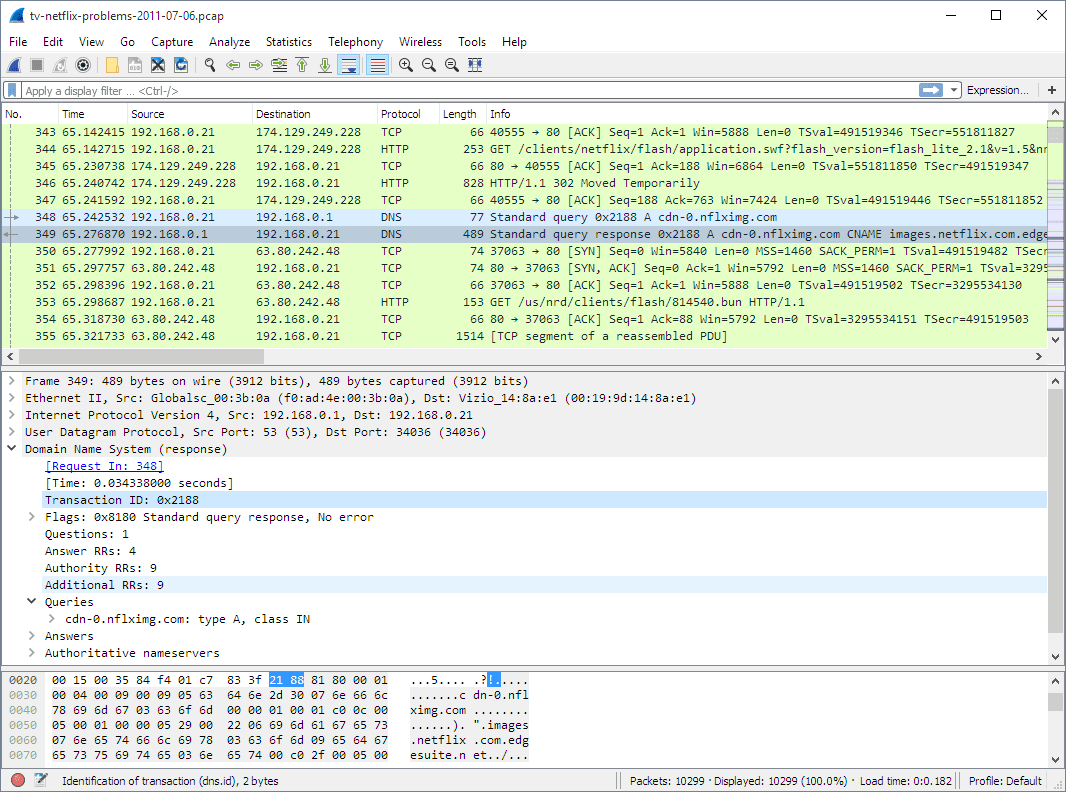
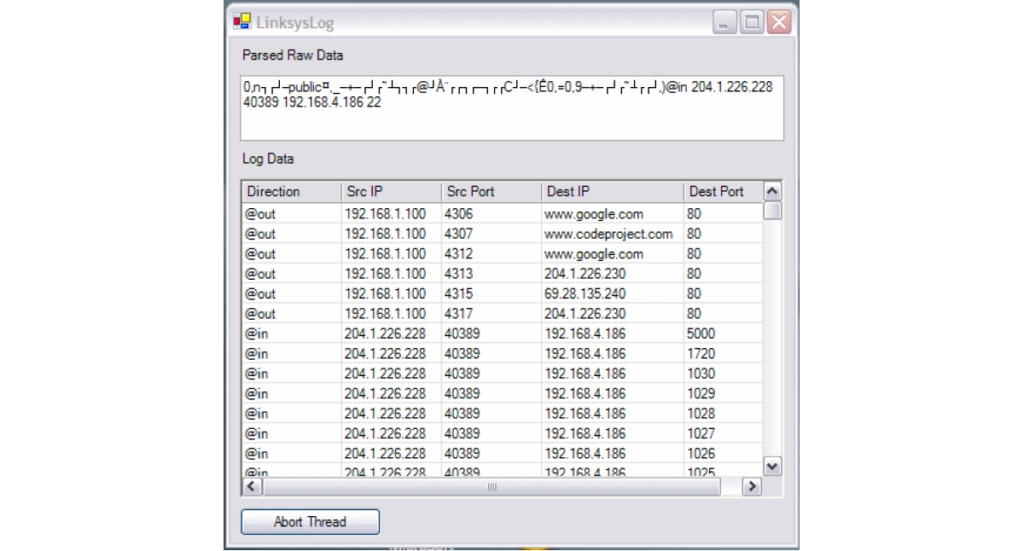
Many routers keep logs of connected devices and the websites they visit. Owners can check these logs through the router’s admin panel. Basic routers show a list of visited domain names and timestamps. Advanced routers offer real-time traffic monitoring, revealing more detailed data.
Traffic monitoring tools capture data packets moving through the network. They help the owner track bandwidth use and identify visited sites. However, most consumer routers do not store full browsing history, only summaries or domain-level data.
What Domain Information Is Visible
Wi-Fi owners can usually see the domain names you visit, like “example.com.” This is because DNS requests are visible on the network. They cannot see the specific pages you open within a website unless the data is unencrypted.
Most websites use HTTPS, which encrypts communication. This encryption hides the exact content and URLs from the Wi-Fi owner. They only see the domain name and the amount of data transferred.
Limitations Without Advanced Tools
Without special software or hardware, Wi-Fi owners cannot view full browsing history or content. They need advanced packet sniffers or deep packet inspection tools for that. These tools require technical knowledge and are uncommon in home networks.
Also, encrypted connections limit what data is visible. VPNs or secure browsers prevent the owner from seeing visited sites. Without these tools, owners mainly see domain names and data usage, not detailed browsing history.
How Browsing Modes Affect Visibility
Browsing modes impact what a Wi-Fi owner can see about your online activity. These modes mainly control data saved on your device. They do not stop your network activity from being logged by the router or ISP.
Understanding how these modes work helps you know what is visible to others and what is private.
Incognito And Private Browsing Limits
Incognito or private browsing stops your browser from saving history, cookies, and cache. This means your device won’t keep a record of visited sites. Other users of the same device cannot see your activity.
But, the Wi-Fi owner can still see the websites you visit. The router logs internet requests and can show domain names. Incognito mode does not encrypt or hide your traffic from the network.
Clearing Browser History Vs Network Logs
Clearing your browser history removes records from your device. This action deletes saved URLs, cookies, and cached files. It only affects your local data, not what the network records.
The Wi-Fi owner accesses logs stored in the router or through the internet provider. These logs show the websites visited during your connection. Clearing browser history does not erase network logs.
For true privacy, encrypting your data is needed. Browsing modes and clearing history help keep your device clean but do not protect your network privacy.
Encryption And Privacy Tools
Encryption and privacy tools help protect your internet activity from being seen by others. These tools make your data unreadable to anyone trying to monitor your connection. Using such tools is essential when connected to public or shared Wi-Fi networks. They keep your browsing private and secure from the Wi-Fi owner or network administrators.
Using A Vpn To Encrypt Traffic
A Virtual Private Network (VPN) hides your online actions by encrypting your data. It sends your internet traffic through a secure server. This process masks the websites you visit and the information you share. The Wi-Fi owner cannot see your browsing history because the data looks like random code. VPNs work on all devices and provide strong privacy protection.
Benefits Of Https Websites
HTTPS websites use encryption to secure your data between your device and the website. This encryption stops others from reading what you do on these sites. The Wi-Fi owner can only see the domain name, not the specific pages or searches. HTTPS is common on most sites today, providing a basic level of privacy without extra tools.
When Mobile Data Is Safer
Using your mobile data instead of Wi-Fi can offer better privacy. Mobile networks usually do not share your browsing details with others nearby. Wi-Fi networks, especially public ones, allow owners to see more information. Switching to mobile data blocks Wi-Fi owners from tracking your online activity. It is a simple way to keep your history private on the go.

Credit: www.youtube.com
Accessing And Managing Router Logs
Router logs record the activity on a Wi-Fi network. These logs show websites visited, connection times, and other data. Understanding how to access and manage these logs helps protect your privacy. It also helps Wi-Fi owners monitor network use. Managing logs involves checking router settings and clearing stored history. Both tasks are simple with basic guidance.
Checking Router Settings
Access the router’s admin panel to check logs. Usually, open a web browser and enter the router’s IP address. Common addresses are 192.168.1.1 or 192.168.0.1. Log in using the admin username and password. These details are on the router or in the manual.
Inside the settings, look for sections named “Logs,” “System Log,” or “Traffic History.” Some routers show detailed browsing data. Others only show connection times or IP addresses. The amount of data depends on the router model and firmware.
Clearing Router History
Router logs can build up over time. Clearing them helps protect user privacy. Find an option like “Clear Logs,” “Delete History,” or “Reset Logs” in the admin panel. Click it to erase stored data. Some routers clear logs automatically after a set time.
Note that clearing logs removes records for all users on the network. It is a simple step to keep browsing activity private. Regularly clearing router history can improve network security. It also prevents others from seeing past activity.
Effective Ways To Protect Browsing Privacy
Protecting your browsing privacy is crucial in today’s connected world. Wi-Fi owners can sometimes monitor the websites you visit. Taking simple steps can block their access to your online activity. This section explains practical ways to keep your browsing safe and private. Use these methods to reduce risks and browse with confidence.
Choosing The Right Vpn
A VPN, or Virtual Private Network, hides your internet traffic from others. It encrypts your data and sends it through a secure server. This stops the Wi-Fi owner from seeing your browsing history. Select a reliable VPN service with strong encryption. Avoid free VPNs as they might sell your data. A good VPN keeps your online activity private and secure.
Avoiding Public Wi-fi Risks
Public Wi-Fi networks are often unsecured and risky. Hackers or Wi-Fi owners can easily track your browsing. Avoid logging into important accounts on public Wi-Fi. Use your phone’s cellular data for sensitive activities. If you must use public Wi-Fi, always connect through a VPN. This adds a layer of protection against snooping and data theft.
Combining Privacy Methods
Using multiple privacy tools increases your protection. For example, combine a VPN with private browsing mode. Private mode stops your browser from saving history on your device. A VPN encrypts your traffic, hiding it from the Wi-Fi owner. Clearing cookies and cache regularly also helps. Together, these steps create a stronger shield for your online privacy.
Credit: blog.incogni.com
Frequently Asked Questions
How Do I Hide Browsing History From My Wi-fi Owner?
Use a VPN to encrypt your internet traffic, hiding your browsing from the Wi-Fi owner. Incognito mode or clearing history only hides data on your device, not the network. For total privacy, use mobile data or a trusted VPN service.
Can My Parents See My Search History Through The Wi-fi?
Parents can see the websites you visit through the Wi-Fi router logs but not the exact pages or searches. Using a VPN hides your activity by encrypting data. Incognito mode only hides history on your device, not from the Wi-Fi owner.
Cellular data also prevents Wi-Fi tracking.
Will Private Browsing Show Up On A Wi-fi Bill?
Private browsing hides history from your device but not from the Wi-Fi owner. They can still see visited sites on the bill.
Can People See My History If I Use Someone Else’s Wi-fi?
Wi-Fi owners can see the websites you visit through router logs, even in Incognito mode. Use a VPN to encrypt and hide your browsing activity.
Conclusion
Wi-Fi owners can see some browsing details without special tools. They mainly see domain names and traffic through the router. Using private browsing or clearing history only hides data from your device, not the network. A VPN encrypts your internet traffic, keeping your activity private.
For sensitive browsing, use a VPN or mobile data instead of Wi-Fi. Always remember, true privacy requires protecting your data from the network, not just your device. Stay safe online by understanding what others can see and taking simple steps to protect yourself.






