Have you ever woken up to find your phone’s battery almost empty, even though you barely used it overnight? It’s frustrating and puzzling.
You put your phone on charge before bed, but come morning, the battery has drained far too fast. You might be wondering, “Why is my phone battery draining so fast overnight? ” The truth is, several hidden factors could be quietly sucking your battery life while you sleep.
But don’t worry — understanding these causes is the first step to stopping the drain. Keep reading, and you’ll discover simple, effective ways to fix this problem and wake up to a fully charged phone every day.
Common Overnight Battery Drains
Many phones lose battery power overnight due to hidden factors. These common overnight battery drains keep your device active. They quietly use energy even when the phone looks idle. Understanding these can help you save battery life and avoid surprises in the morning.
Background App Activity
Apps often run tasks in the background overnight. They sync emails, update social media, and track location. This constant activity uses battery power without you noticing. Some apps refresh data frequently, causing faster drain. Closing or limiting these apps can reduce overnight battery use.
Poor Cellular Or Wi-fi Signal
Your phone works harder when the signal is weak. It keeps searching for a better cellular or Wi-Fi connection. This extra effort drains the battery quickly. Staying in places with strong signals helps your phone save power. Turning on airplane mode overnight stops this drain completely.
Always-on Display Issues
Always-On Display keeps part of your screen lit to show time or notifications. This feature uses battery even when the phone is idle. Some phones have bugs or glitches causing more battery use than needed. Disabling this feature can improve overnight battery life significantly.
Battery Age And Health
Batteries lose capacity as they age. An older battery holds less charge and drains faster. Battery health affects how long your phone lasts overnight. Checking battery health in settings shows if replacement is needed. Replacing an old battery restores better overnight battery life.
High Power Settings
Settings like high screen brightness or constant notifications use more power. Background data syncing and location services also add to battery drain. Using power-saving modes or lowering screen brightness helps conserve battery. Turning off unnecessary features before sleep reduces overnight drain.
Credit: www.macobserver.com
Identifying Battery Hogs
Many phones lose battery power overnight without clear reasons. Identifying what drains your battery is key to fixing this. Some apps and settings keep running even when you don’t use your phone. These silent power users are called battery hogs. Knowing how to find them helps save your battery life. Below are simple ways to spot these power drains.
Checking Battery Usage Stats
Most smartphones show battery use by app. Check your phone’s battery settings for this data. It lists apps and how much power they use. Look for apps that use too much power overnight. These apps might run in the background or update often. Stop or limit these apps to save battery. This step gives a clear picture of battery usage.
Spotting Rogue Apps
Some apps drain battery more than others. Rogue apps run without permission or too often. They may crash or refresh constantly. Watch for apps that use more battery than they should. Uninstall or disable apps that act suspiciously. Keep apps updated to reduce battery drain. Rogue apps often cause fast overnight battery loss.
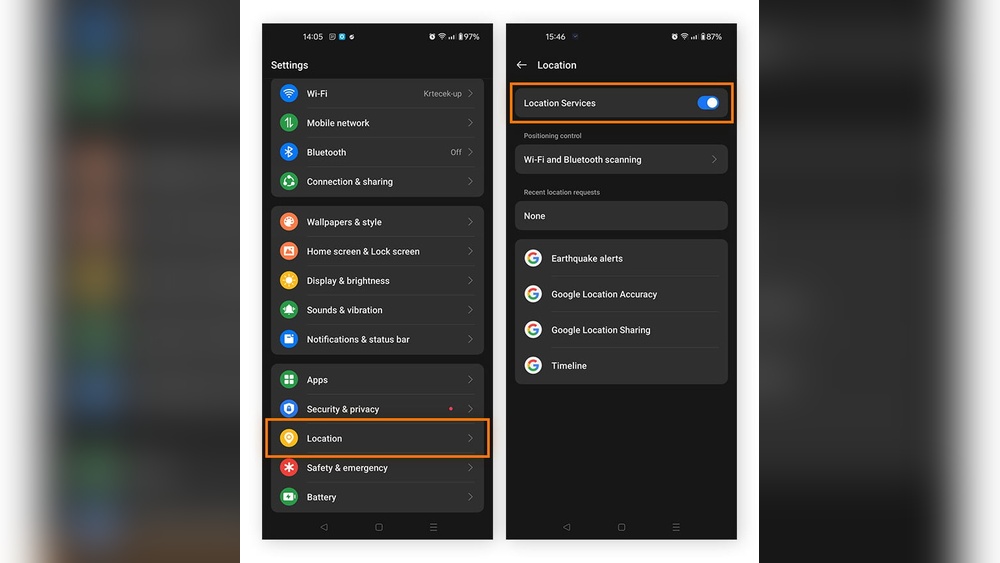
Monitoring Location Services
Location tracking uses a lot of power. Apps using GPS can drain battery even when you sleep. Check which apps use location services in your settings. Turn off location for apps that don’t need it. Set location to “While Using” instead of “Always On.” This saves battery without losing app function. Monitoring location services reduces hidden power use.
Quick Fixes To Save Power
Saving your phone’s battery overnight can be simple with a few quick fixes. These steps stop your phone from using power when you don’t need it. Try these easy tips to keep your battery healthy and lasting longer.
Disabling Background Refresh
Background refresh lets apps update even when not open. This uses battery power all night. Turn it off to save energy. Go to settings and find “Background App Refresh.” Disable it for apps you do not need running. This stops apps from syncing data and draining power.
Turning Off Always-on Display
Always-On Display shows time and notifications on your screen. It looks nice but uses battery all night. Switch it off in your display settings. This change can save a lot of battery. Your phone screen will stay off, using less power while you sleep.
Restarting Your Phone
Restarting your phone clears temporary files and stops unused apps. This simple step fixes small bugs that drain battery. Turn off your phone, wait a minute, then turn it back on. Restarting can improve battery life and speed up your device.
Credit: discussions.apple.com
Optimizing Settings For Better Battery
Optimizing your phone’s settings can greatly reduce battery drain overnight. Small changes help your phone use less power while it rests. Adjusting key settings keeps your battery healthy and lasting longer each day.
Lowering Screen Brightness
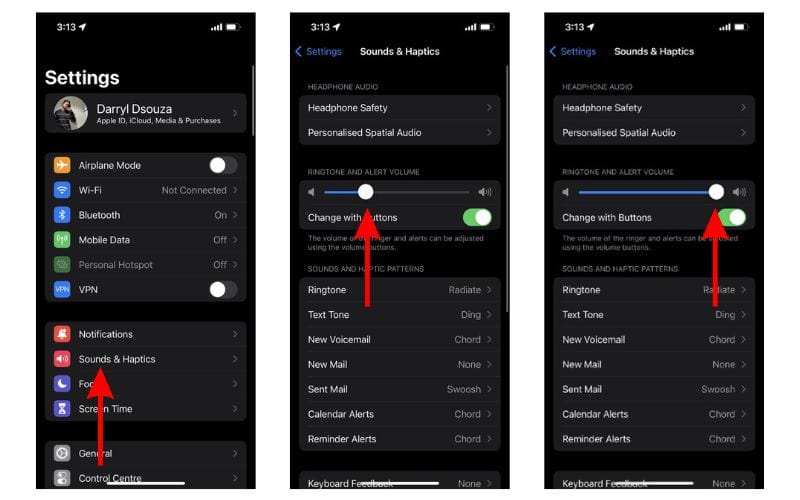
Screen brightness uses a lot of battery power. Lowering it before sleep saves energy. Use the auto-brightness feature to adjust brightness based on light around you. Dim screens help prevent fast battery drain during the night.
Turning Off Bluetooth And Wi-fi
Bluetooth and Wi-Fi constantly search for connections. This continuous searching uses battery power. Turning them off when not needed stops this drain. Disable these features before bed to keep your battery charged longer.
Limiting Notifications
Notifications wake your phone and light up the screen. Frequent alerts drain your battery quickly. Limit notifications from apps that are not urgent. This reduces background activity and helps preserve battery life overnight.
Software Updates And Security
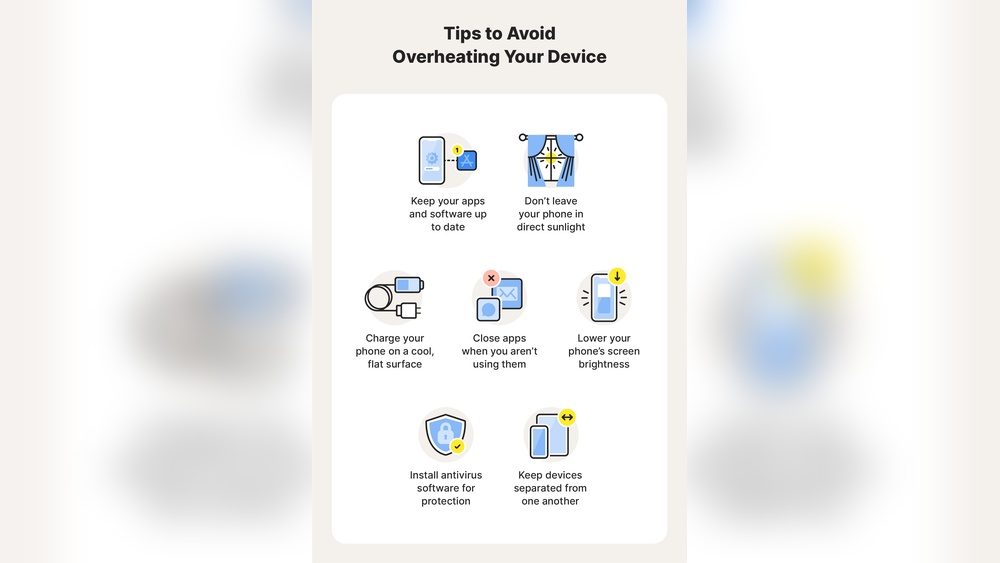
Software updates and security play a crucial role in your phone’s battery life. Outdated software may contain bugs that waste energy. Security flaws allow malware to run in the background, draining power silently. Keeping your phone’s system up to date helps fix these problems and improve battery performance.
Installing Latest Os Updates
Operating system updates often include fixes for battery drain issues. These updates optimize how your phone uses power. They close software gaps that cause excessive battery use overnight. Installing the latest updates ensures your phone runs smoothly and efficiently. Updates also improve app compatibility and reduce crashes.
Removing Malware And Glitches
Malware can run hidden tasks that consume battery without your knowledge. Glitches in apps or system processes also cause constant battery drain. Security patches remove malware threats and fix these glitches. Using updated antivirus tools helps detect and remove harmful software. Clearing these problems stops unnecessary battery use and extends device life.
When To Replace Your Battery
Knowing when to replace your phone battery helps avoid unexpected shutdowns. Batteries lose capacity over time. This causes faster power drain, especially overnight. Watching for certain signs helps decide if replacement is needed. Acting early can improve phone performance and save frustration.
Signs Of Battery Wear
Battery life drops quickly, even after full charges. The phone may shut down suddenly at high battery percentages. Charging takes longer than usual or stops before reaching 100%. The device feels warm or hot during use or charging. Battery health reports in settings show reduced capacity. These signs often mean the battery is worn out and needs replacement.
Battery Replacement Options
Replacing the battery restores battery life and performance. Visit an authorized service center for a safe replacement. Some phones allow easy battery swaps with tools. Third-party repair shops offer affordable services but check reviews first. Avoid cheap or fake batteries as they may cause damage. After replacement, monitor battery health regularly to maintain your phone’s power.
Preventive Tips For Long-term Battery Health
Maintaining your phone’s battery health helps prevent fast draining overnight. Small habits protect battery life over time. These tips keep the battery stable and lasting longer. Following simple steps reduces wear and tear on your battery. Consistent care leads to better performance and fewer charging issues.
Regularly Cleaning Battery Contacts
Clean battery contacts remove dirt and corrosion. Dirty contacts reduce power flow and cause drain. Use a dry cloth or soft brush gently on contacts. Avoid harsh chemicals that can damage the battery. Clean contacts ensure a steady connection and improve battery life.
Avoiding Overcharging
Overcharging stresses the battery and shortens its lifespan. Unplug the phone once it reaches 100% charge. Use chargers that match your phone’s specifications. Avoid charging overnight for long periods. Controlled charging keeps the battery healthy and stable.
Using Battery Maintainers
Battery maintainers provide a steady, low-level charge. They prevent the battery from fully draining or overcharging. Use maintainers if you do not use your phone daily. This tool keeps the battery ready and reduces damage. Battery maintainers help extend overall battery life.
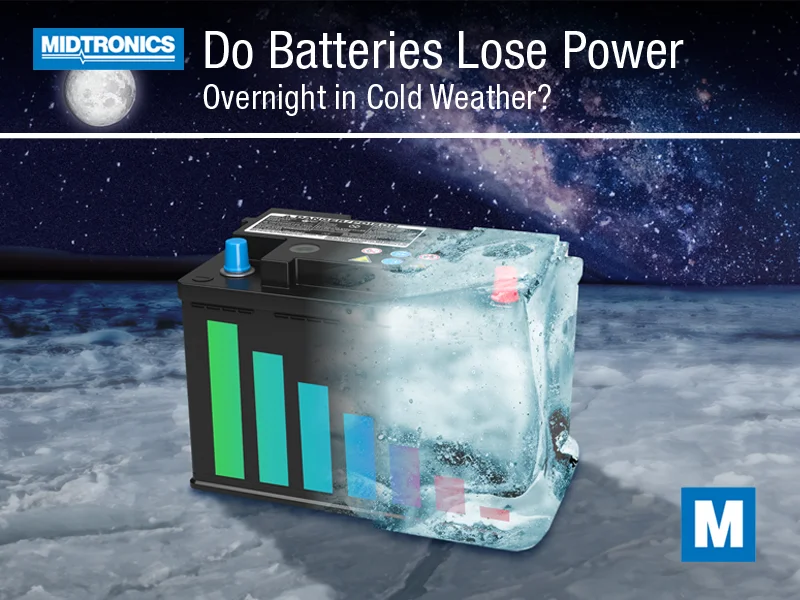
Credit: www.midtronics.com
Frequently Asked Questions
How Do I Stop My Phone Battery From Draining Overnight?
Close unused apps and lower screen brightness before sleep. Disable Bluetooth, GPS, and push notifications. Update your software regularly. Limit background activity and turn off Always-On Display. Restart your phone to fix glitches. Check battery health and replace if needed.
How Do You Fix A Battery Drain Overnight?
Close unused background apps, lower screen brightness, and disable Bluetooth, GPS, and push notifications. Update your software regularly. Restart your device to fix glitches. Check battery settings for high usage apps and limit background activity to prevent overnight battery drain.
Why Does My Phone Keep Dying At Night?
Your phone dies overnight due to background apps, poor signal, Always-On Display, outdated software, or an old battery. Limit background activity, disable AOD, update software, and restart to fix it.
Why Is My Phone Battery Draining Fast All Of A Sudden?
Your phone battery drains fast due to background apps, poor signal, outdated software, high brightness, or an aging battery. Close unused apps, lower brightness, disable unnecessary features, update software, and check battery health to fix it.
Conclusion
Phone batteries drain overnight for many simple reasons. Apps run quietly in the background, using power without you knowing. Weak signals force your phone to work harder, wasting energy. Outdated software or settings like Always-On Display can cause extra drain.
An old battery also loses charge faster. To keep your phone ready each morning, close unused apps, update software, and adjust settings. Regular care helps your battery last longer and stay healthy. Small changes make a big difference in battery life overnight.